e-Core · 2026
AI-powered design operations: a 3-designer squad serving the whole company
At e-Core, I set up design operations for a 3-designer squad and built AI agents and skills so other teams could produce on-brand materials, with usage rules approved by IT and a designer approving the result.
Project sheet
- Company
- e-Core
- Period
- 2026
- My role
- Global Design Lead
- Team
- 3 designers
- Skills
- DesignOps, Applied AI, Governance, Mentoring
- Tools
- Claude Code, Gemini, Figma, Blender
- design team productivity
- +35%
- faster deliveries
- ~50%
- people in 5 teams using the agents
- 50+
Context
The squad had 3 designers serving a global company. Repetitive tasks, such as posts and headers, took up the team's time, and teams like sales and marketing depended on design for every deck, post or screen.
Project steps
- Squad operations diagnosis
- Team organization and mentoring
- AI on the team's own requests
- Building the skills and agents
- Approval and usage rules with IT
- Training and rollout to teams
- In use, with a designer approving every piece
My role
I led the squad and designed its operations. I built the agents and skills, presented them to IT for approval, adjusted them together for safe use and recorded a training for anyone who wanted to use them.
Decisions
Getting the house in order first
Structured the squad's operations, with mentoring and delivery tracking.
AI in our own team first
Used AI to automate the team's small requests, such as posts and headers, and steps of larger productions, such as website page prototypes, presentation mockups and the full structure of a deck.
Skills built on the brand
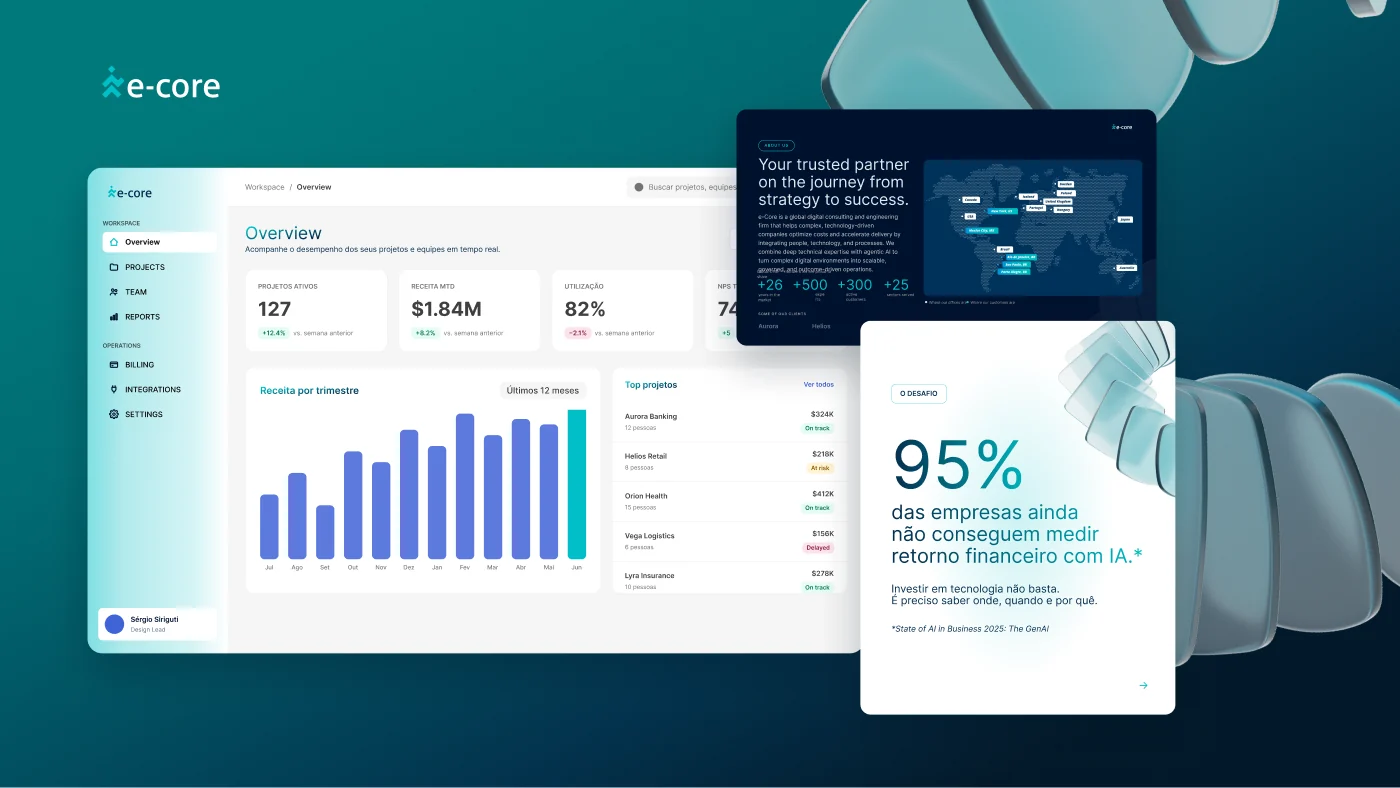
Built in Claude Code and Gemini a skill that creates presentations from any content, plus three that complement it with photos, icons and 3D mockups. All of them start from templates and guidance based on the Design System.
Governance before rollout
Presented the skills to IT for approval, and we adjusted the usage and security rules together before rollout.
A designer always approves
Everything we made with AI went through a designer's approval, the so-called human in the loop.
Teaching the people who use it
Recorded a short training for anyone who wanted to use the skills and showed them to the teams that would use them most, such as marketing. Marketing, account management, sales, delivery and legal started using them.
Solution
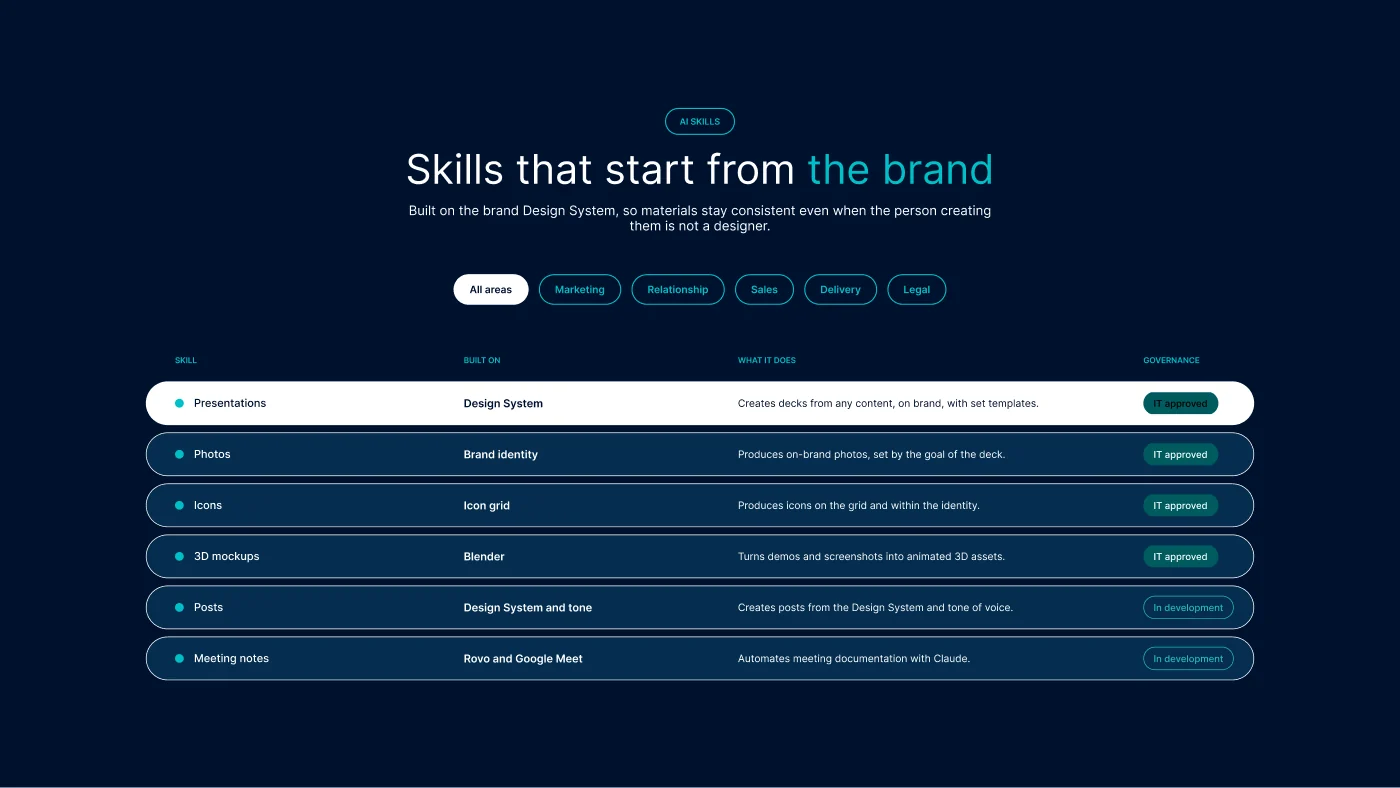
The skills build on the brand Design System, so output stays consistent even when the person creating it is not a designer, and a designer approves the result. The squad stopped producing piece by piece and focused on complex projects and on the quality of what other teams generate.
Skills built
- PresentationsCreates decks from any content, such as a URL, file or image, always in the e-Core identity, using templates and guidance based on the Design System.
- PhotosProduces on-brand photos, with parameters set by the goal of the presentation.
- IconsProduces icons on the grid and within the identity.
- 3D mockupsUses Blender to turn demos and screenshots of the company's systems into animated 3D mockups, ready to use as assets.
- PostsCreates posts based on the Design System and tone of voice. In development, used only by me and my team.
- Meeting notesAutomates meeting documentation by connecting Claude to Rovo and Google Meet. In development, used only by me and my team.
Results
Design team productivity went up 35% and deliveries got about 50% faster. More than 50 people in 5 teams started using the agents, with governance approved by IT.
What I take away
AI in design operations works when it comes with clear rules: what can be generated, by whom and with what review.